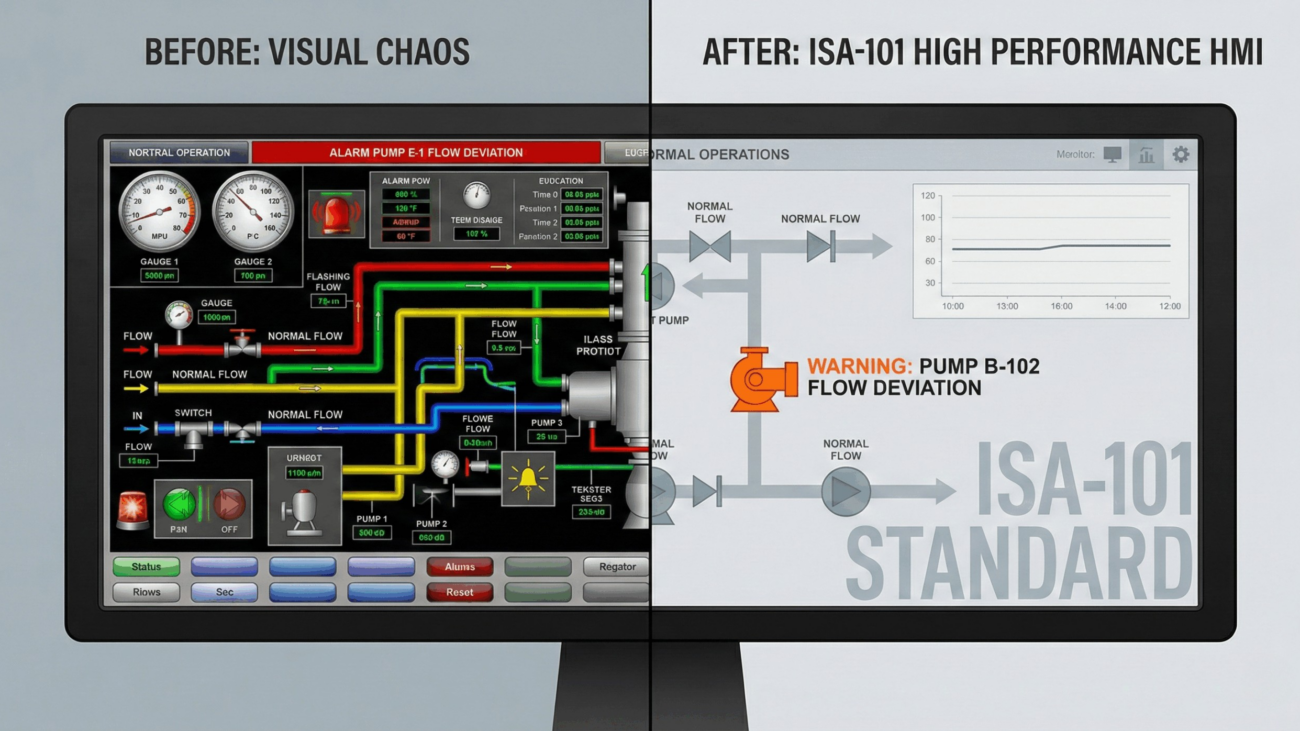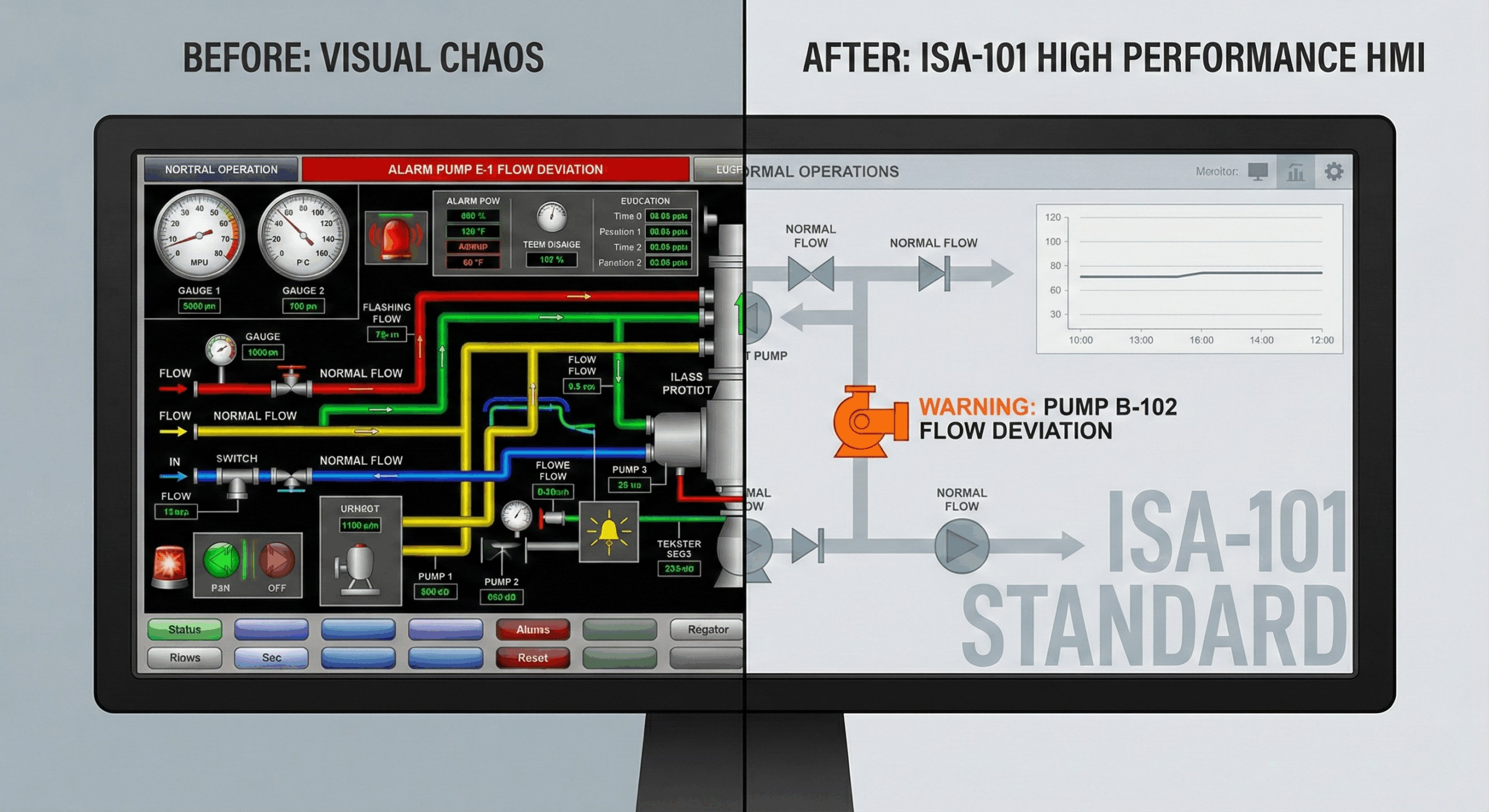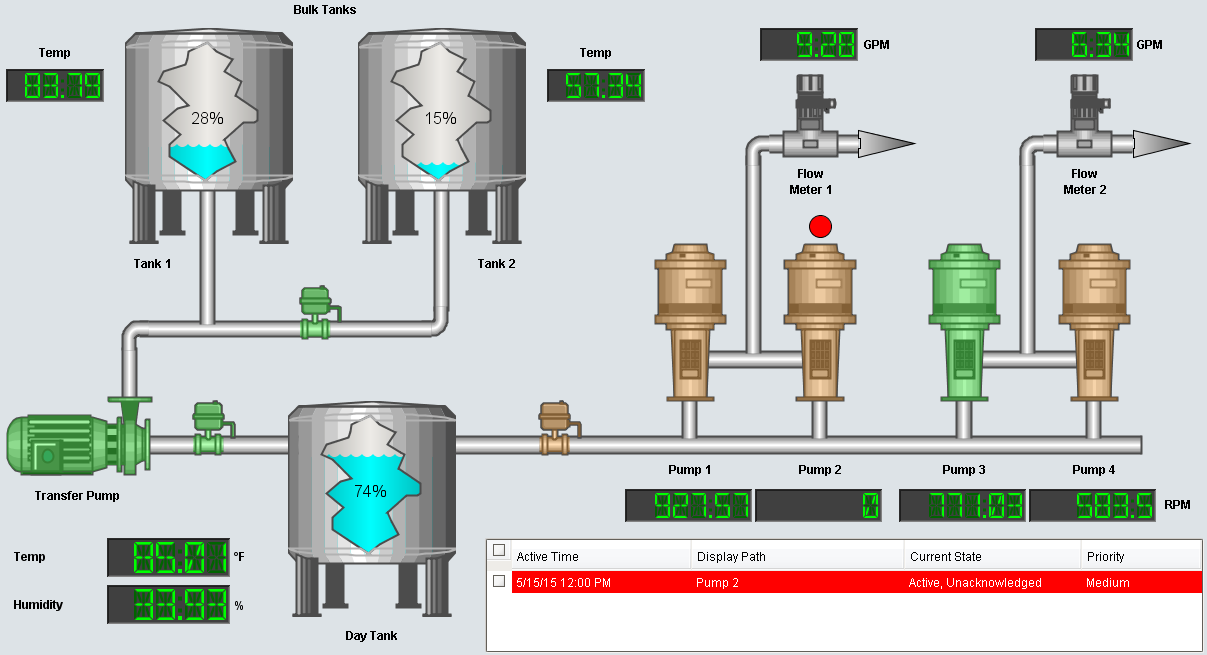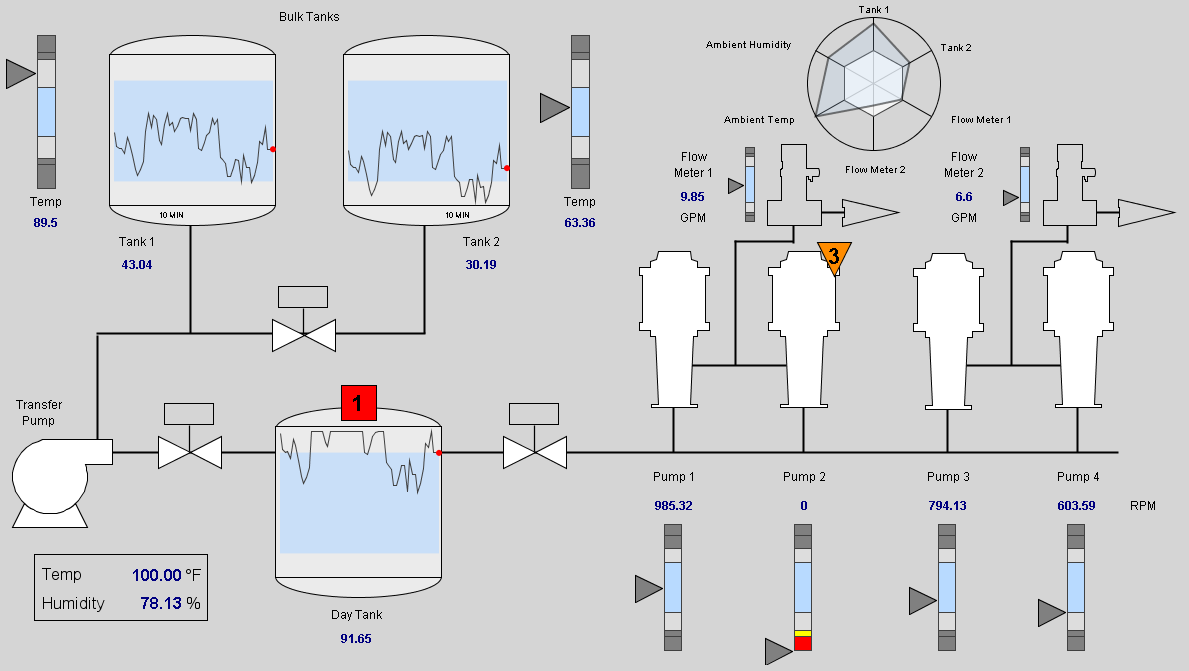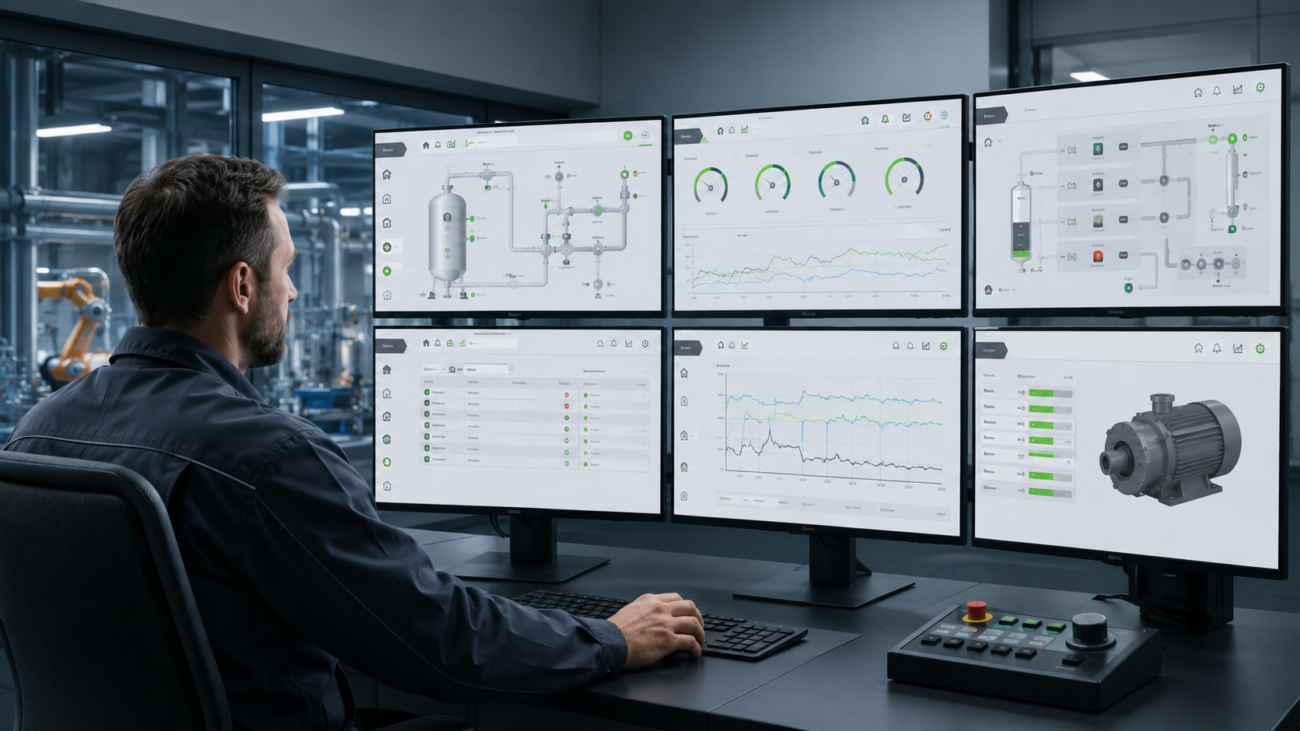
If you manage production, you probably have access to more data today than ever before. Even so, a simple problem can arise at a critical moment. An operator, technician, or shift supervisor may not be able to understand quickly enough what is happening, where the problem occurred, and what the next step should be. If a screen displays dozens of colors, values, and icons without a clear priority, people cannot quickly distinguish between a normal state, a warning, and a truly critical condition. And if the interface does not help them do so, the HMI becomes another source of cognitive load.
That is precisely why HMI (Human-Machine Interface) is one of the most important layers of modern industrial automation. Modern HMI design should not primarily be visually appealing. It should be clear, safe, consistent, and designed around how people work in real-world operations. A well-designed HMI helps operators respond more quickly, maintenance personnel identify the causes of problems more efficiently, management better understand production, and the company reduce the risk of errors, downtime, and inefficient interventions.
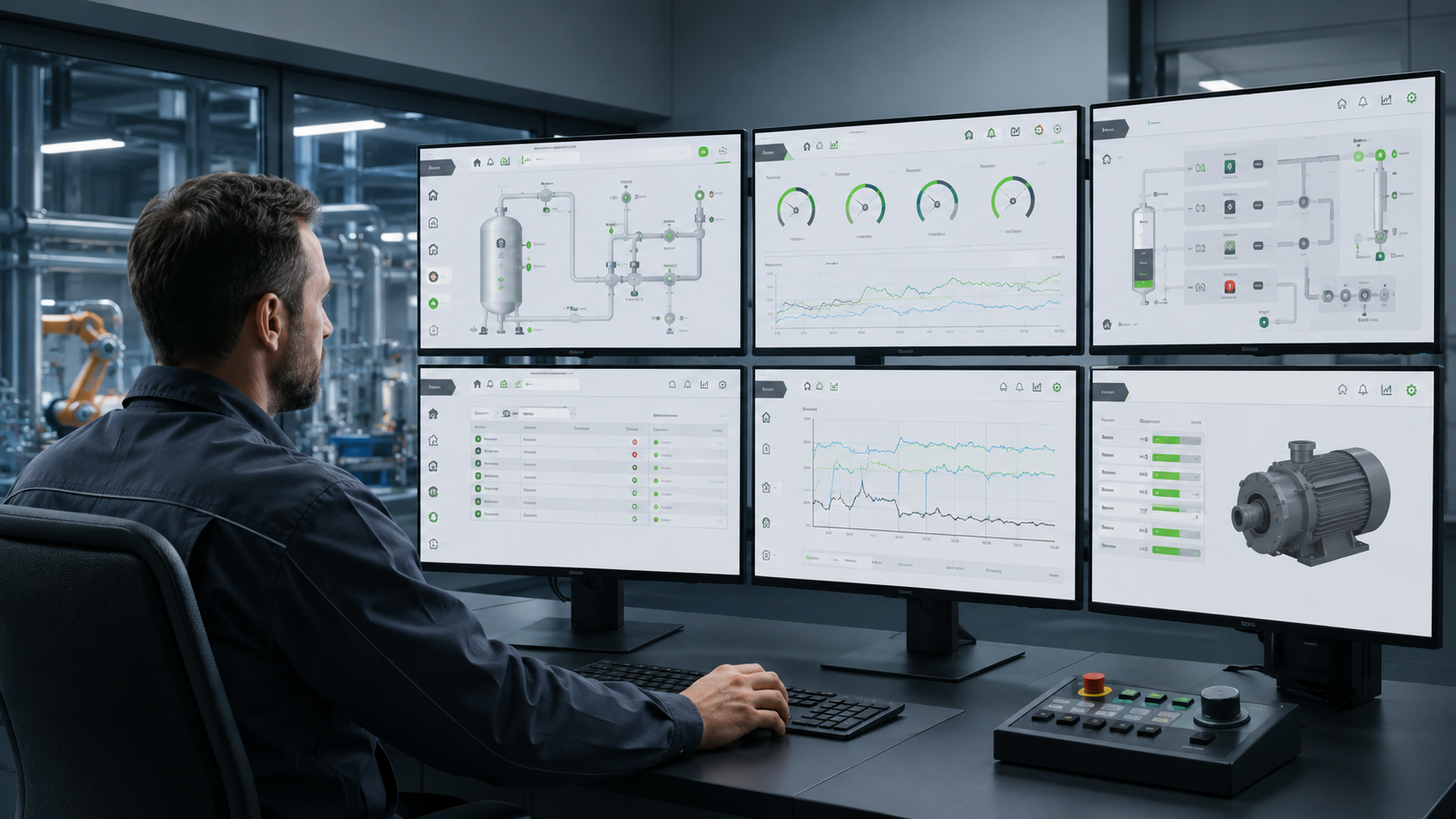
Human-Machine Interface – DEFINITION
What does HMI (Human-Machine Interface) mean?
The definition of 💡 Human-Machine Interface is essentially simple. HMI is a user interface through which a person communicates with a machine, production line or the entire process. The main significance of HMI lies in the fact that it turns raw data into usable information. In practice, HMI enables users to monitor operating values, control equipment, change permitted parameters, acknowledge alarms or analyze trends. A good HMI is therefore a critical point of interaction between a person and the system.
Why does HMI fail even when the technology works correctly?
❌ In many companies, digital transformation places the greatest emphasis on hardware, data collection, and architecture, as well as various integrations. This is understandable because without a reliable technical layer, the system cannot function. The problem arises when the user interface is addressed only at the end of the project as a visual output that is supposed to “somehow display the data.” The result is then an HMI that is technically correct but operationally weak.
❌ Screens often copy process schematics, contain too many details, and use many colors, animations, and icons, while all elements have similar visual importance. The operator then cannot clearly see what is merely a normal part of the process and what genuinely requires attention. During a fault, they even have to switch between multiple views to piece together a picture of the situation. Inconsistency is also a common problem. One screen uses red for an alarm, while another uses it for an important parameter.
❌ This situation arises mainly because HMI is designed from the technology’s perspective, not the user’s perspective. The designer knows how the line works, where the equipment is located, and what the individual values mean. However, at a particular moment, the operator needs answers to more practical questions: Is the process within normal limits? Where did the deviation occur? What is causing it? What action is required? And what will happen if I do nothing? If HMI does not answer these questions quickly and clearly, it fails to fulfill its main role.
Most common risks of poor HMI
⚠️ The first risk is a slower response to faults and deviations. If the operator cannot see which parameter has moved outside the normal range, how long the problem has lasted, and which part of the production system is causing it, they lose time looking for connections. Instead of taking immediate action, they analyze the screen, switch between views and verify information with colleagues. In practice, even a short delay can mean longer downtime, higher costs and a greater risk that a minor deviation will become a more serious operational problem.
⚠️ The second risk is incorrect interventions. If the system does not display clear alarm priorities, the user may respond to a less important problem and overlook a critical condition. The problem is even greater when the HMI generates too many alarms. Operators get used to them, start acknowledging them automatically and the alarm stops being a signal that requires attention. This phenomenon is so common that it is known as alarm fatigue, or fatigue caused by alarms.
⚠️ The third risk is lower work efficiency. If a simple operation requires an unnecessarily high number of clicks, if data has to be transcribed manually or if the user cannot quickly find the information they need, the system slows down work instead of speeding it up. In practice, this may mean, for example, that the operator spends more time operating the system than actually resolving the situation in production. With repetitive tasks, these small time losses gradually add up and can represent significant inefficiency.
⚠️ The fourth risk is dependence on experienced individuals. In companies with weak HMI, it is often the case that an experienced operator “knows where to look for things”, but a new employee gets lost in the system. This extends training, increases the risk of errors and makes work standardization more difficult. The problem becomes most apparent during staff changes or holidays or in crisis situations, when an experienced employee is not currently available. A quality HMI should ensure that the correct procedure does not depend solely on a specific operator.
⚠️ The fifth risk is poorer scalability of the entire system. If each screen is created without uniform rules, each new technology introduces its own control logic, different colors, different navigation and a different way of displaying information. This complicates system expansion, increases maintenance costs and means that instead of a unified digital environment, a collection of inconsistent screens emerges. At a larger scale, every modification or extension becomes unnecessarily more difficult than it would be with a unified HMI standard.
HMI Design Standards
HMI design standards have a highly practical significance in industry. They ensure that the interface does not depend on personal taste of a particular designer, but on uniform rules that can be used throughout the entire plant. HMI guidelines should therefore define how colors, typography, symbols, and navigation are used… If a company has multiple lines, production halls, or facilities, a unified HMI standard significantly simplifies the work of operators, maintenance teams, and internal technical teams.
When designing a modern HMI, the ISA-101 standard is often used as a basis. It helps establish rules for how HMI screens should be designed, used, and maintained over the long term. The aim is for the user to quickly understand what is happening and respond to abnormalities in time and for all screens to operate according to the same logic. The ISA-101 standard was even recently adopted as the international standard IEC 63303. This officially placed its principles among recognized standards used throughout industry worldwide.
Modern Human-Machine Interface Design
➡️ Modern Human-Machine Interface design no longer “displays everything”. It should display only essential information, and do so in a way that allows people to understand it quickly and correctly respond to it. In practice, this means that if everything is running correctly, temperatures are within normal limits, pressure is stable, and equipment is operating as expected, the screen does not need to be filled with bright colors, flashing elements, and animations. Quite the contrary. Normal operation should be displayed neutrally, so operators do not have to constantly evaluate every detail.
➡️ Visual emphasis should be reserved for deviations. This is where the use of colors plays an important role. Gray and neutral shades represent normal conditions. Yellow or orange indicates a warning, a deviation or a condition that requires attention. Red is reserved for critical situations in which an immediate response is required. As a result, every color has a clear meaning and the operator does not have to think about what a given visual element means.
➡️ Good HMI design, however, does not base the meaning of information solely on color. In practice, it is also necessary to consider that some users may have color vision deficiency. Therefore, critical states, alarms, and important warnings should be supplemented with unambiguous shapes, symbols or text labels. This allows the operator to distinguish important information even when they do not perceive colors in the same way as others. The result is an interface understandable to a wider range of users.
➡️ Also very important is the hierarchy of screens. High Performance HMI does not overwhelm the user with details on the home screen right away. First, it shows the overall state of the process. Next, it directs the user to the part where the problem occurred. Only then does it offer details of the specific device, a trend, diagnostics or service information. The user therefore does not have to search the entire system during a fault, but proceeds naturally from the general overview to the specific cause and solution.
➡️ No less important is displaying values in context. A number on its own often is not enough for the user, because it does not show whether the condition is still safe, approaching a limit or gradually deteriorating. A modern HMI should therefore also work with normal ranges, trends, and limits, so that the operator sees not only the current state, but also its progression. This enables the operator to better distinguish a short-term fluctuation from a problem that is gradually worsening. The operator can thus respond proactively, rather than only when a fault occurs.
Human-Machine Interface – EXAMPLE
What is the difference between a poor and a modern HMI?
Let us imagine, for example, a production line that has stopped. In a poor HMI, the operator sees a large process schematic, numerous icons, and several alarms at once. They have to manually determine whether the problem was caused by a safety stop, missing material, or a motor fault. A modern HMI design would handle the same situation differently. In a High Performance HMI, they first see that the line is stopped. The system then clearly indicates that the problem is in a specific part of the line. After opening the details, they discover that material is missing from the hopper and the equipment is therefore waiting.
This approach significantly reduces the operator’s cognitive load. The operator does not have to monitor everything continuously. The system alerts them to what is deviating from normal and at the same time logically guides them from the overall overview all the way to the specific cause of the problem. This is the main value of modern HMI design. It does not appear as an overcrowded screen full of data, but as a work tool that helps people act quickly and safely. The result is an interface that does not demand attention constantly, but only when it is genuinely needed.
Human-Machine Interface – SIGNIFICANCE
How does HMI affect costs, safety, and decision-making in manufacturing?
Human-Machine Interface has fundamental importance in industrial automation. The system itself may collect accurate data, machines may be reliably connected, and processes may be automated, but if the user does not understand what they see on the screen, the value of the entire solution is significantly reduced. A well-designed HMI interface is therefore not merely a matter of operator convenience. It has a direct impact on operational costs, production efficiency, safety, and data quality, as well as the company’s ability to make better decisions.
One of the greatest benefits of a high-quality HMI is faster response to faults, deviations, and abnormal conditions. The operator can more quickly understand whether the process is within normal limits, where the problem occurred, and what action is required. For the company, this means a shorter response time, less unnecessary downtime and lower costs caused by delayed intervention. HMI also helps maintenance personnel identify the cause of a problem more quickly and plan service interventions more efficiently.
A quality HMI also reduces the risk of incorrect interventions. If alarms are clearly prioritized, critical conditions are clearly differentiated and control elements are designed unambiguously, the user can make the right decision even under pressure. This is important especially during faults, operating mode changes or when working with critical equipment. The result is greater operational safety, a lower risk of equipment damage and more stable production quality.
A properly designed HMI also helps train new employees. If screens have a consistent logic, the same color coding and consistent navigation, a new operator can find their way around the system more quickly. Work can be standardized more easily across shifts, lines, or facilities. This reduces the risk of errors, shortens training time and helps maintain a more stable operating approach even when personnel changes.
From the perspective of supervisors and management, Human-Machine Interface is also significant because it improves the quality of operational information. If HMI clearly displays line performance, reasons for downtime, recurring alarms, trends or deviations from the plan, it becomes an important source of data for process improvement. Management can therefore make decisions based on actual production conditions, not merely according to delayed reports, subjective estimates or incomplete records.
Ultimately, a quality HMI delivers concrete results to the company:
✅ Faster responses and less downtime
✅ Lower risk of errors and greater safety
✅ Easier employee training
✅ Reduced operating costs
✅ More efficient production management
Human-Machine Interface – APPLICATIONS
Where does HMI connect with SCADA, MES, OEE, CMMS, EMS, BMS, and BI?
Human-Machine Interface applications today are not used only to control a single machine. In modern facilities, they are often part of a broader digital ecosystem that connects production, maintenance, energy management, and building management as well as management decision-making. An example of a platform in which such HMI applications can be created is Ignition. The advantage of this approach is that HMI can grow with the facility and gradually expand to include additional functions.
When connected to a SCADA system, Ignition can display the state of the process, real-time operating values, and alarms or trends. In combination with an MES system, it can add production context, such as the plan, the number of units produced or the reasons for downtime. A separate area is OEE, where HMI helps monitor equipment availability, performance, and quality so that the company can see where the greatest production losses occur and subsequently eliminate them.
When connected to a CMMS system, it can help maintenance handle faults and service interventions as well as planned maintenance. HMI applications are also relevant to EMS and BMS systems, where they help monitor energy consumption and control heating, cooling, lighting, ventilation systems and other technologies. Data from these areas can subsequently be further analyzed in BI tools, such as Power BI. The company thus gains not only an up-to-date overview of operations, but also a basis for long-term optimization.
How to Begin Modernization?
HMI modernization should not begin with selecting colors or redrawing icons. It should begin with an audit of the current state. Look at the screens that are used most frequently. Find out where operators lose time, which alarms recur, which values they have to look up manually, and where errors occur and which tasks are unnecessarily complicated. A Human-Machine Interface diagram is also helpful when designing a solution, as it shows how HMI fits into the overall technological and data environment.
Next, it makes sense to create or update an HMI standard. It should define rules for screen layout, colors, typography, and symbols as well as navigation. If this step is skipped, every new screen may look different and the company will simply create a more modern version of the original chaos. A good HMI standard also simplifies work when expanding the system further, because new screens are not created from scratch, but according to a clearly defined logic.
For larger facilities, it is advisable to start with a pilot project. Select one technology, process or production line where improving the HMI offers a clear benefit. Design a new concept, test it with users, adjust it based on feedback and only then extend it to other parts of the facility. It is also important to think about training. Operators need to know why the screen looks different, what the new rules mean and how the new system will help them in their work.
How Do We Help with HMI at IoT Industries?
At IoT Industries, we view HMI as part of the entire digital ecosystem, not as a standalone graphic screen. When designing a solution, we therefore also address data sources, architecture, integration with other systems and practical usability in operations. We help companies analyze existing screens, identify weak points, design an HMI standard, prepare prototypes of new screens, and implement the solution so that it makes sense to operators, maintenance teams, and management.
Thanks to our many years of experience, we can connect the world of operational technology with IT systems and create interfaces that not only display data, but help people use it in practice. If you want to find out whether your current HMI truly helps people in your operations, schedule a consultation with us. We will review your existing interfaces and identify opportunities for improvement and propose practical steps for turning HMI into a tool that delivers real value for your production.
Why Choose IoT/IIoT Implementation with IoT Industries?
Traditional companies typically specialize in OT (operational technologies, such as production lines and devices) or classic enterprise IT systems. However, we are able to connect both of these worlds. Our unique expertise in integrating OT and IT allows us to deliver innovative solutions in digital transformation, enhancing efficiency, reliability, and competitiveness for manufacturing companies.